
For licensed clinicians · every State
Your CE renewal, handled before it sneaks up on you.
Confirm knows your board's CE rules, for every State and every license you hold. Snap a photo of a certificate and it logs the course, checks it against your required topics and limits, and shows exactly what is left before your renewal date.
Free to start, no card. Works in any web browser today; the iPhone app is on its way to the App Store.
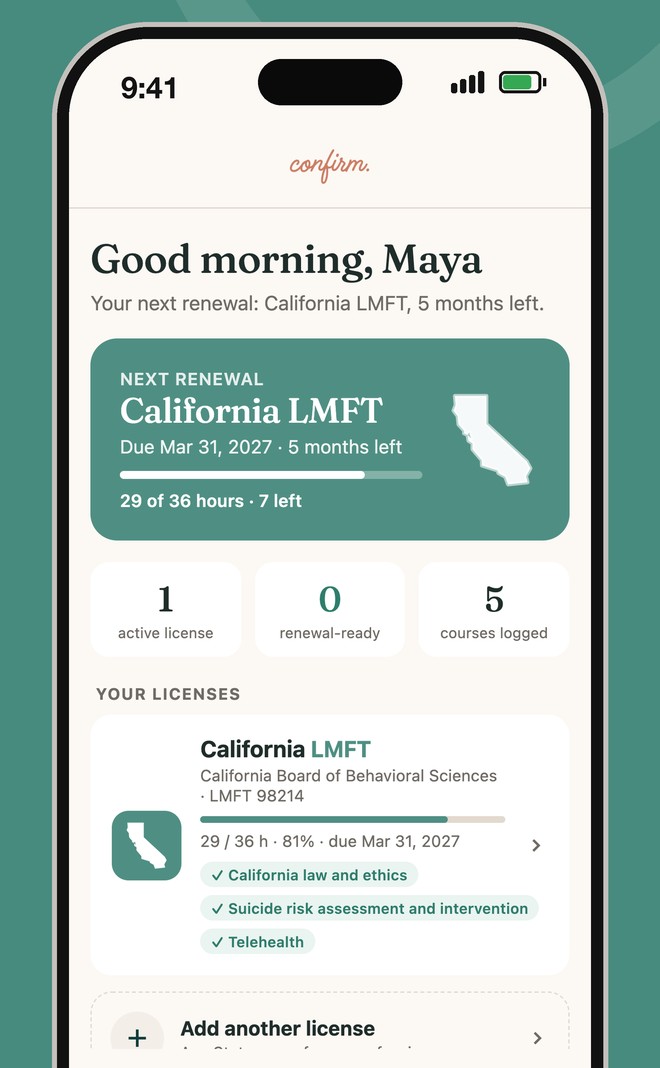
Your next renewal at a glance
Hours left, required topics and the due date, for each license you hold.
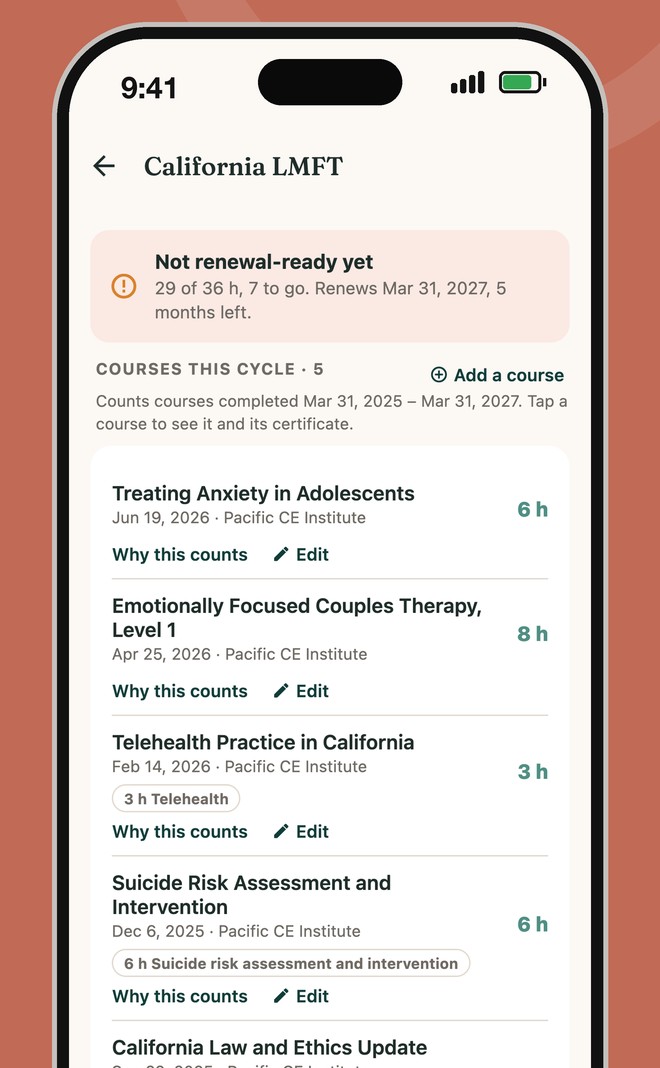
Every course checked against your board
Required topics, format limits and per-course caps, with why each course counts.
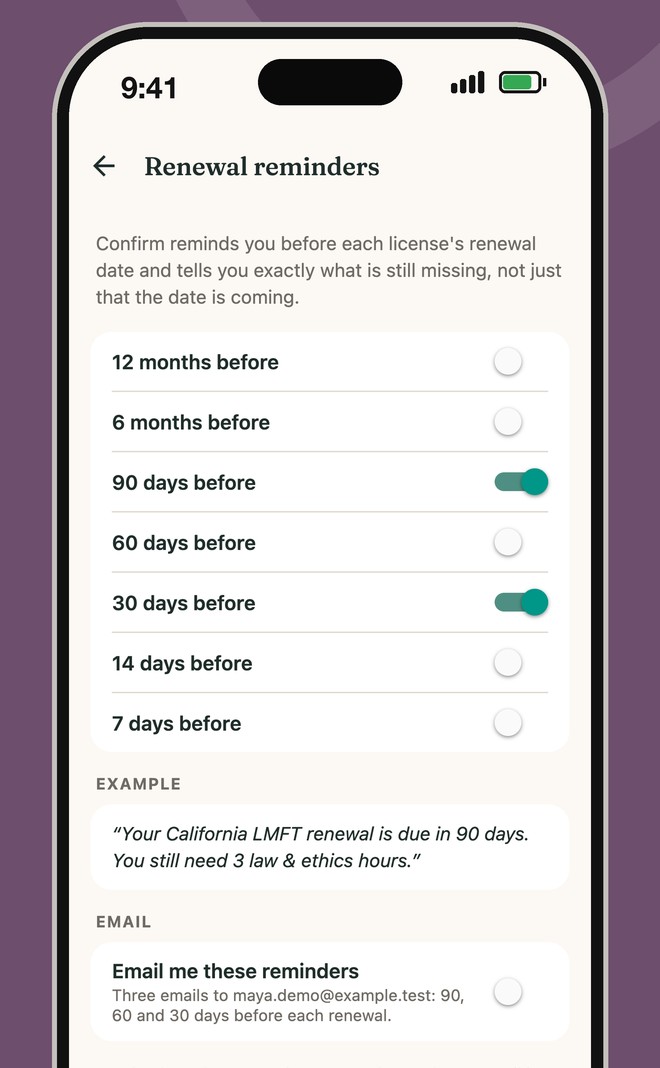
Reminders that say what is missing
Not just a date: what your renewal still needs. Emails 90, 60 and 30 days out if you want them.
What you get
- Your board's rules, built inTotals, required topics like law and ethics, suicide prevention or telehealth, limits on self-study or on one course, carryover, and a smaller first renewal where your board prorates it. Each State's rules name the board source and the date we last checked it. See CEU requirements by State.
- Law and ethics means your State's lawA course on another State's law still counts toward your total, but not toward your own State's law requirement, and Confirm tells you why.
- Certificates read for youTake a photo or upload a PDF, even a locked one from a provider, and Confirm fills in the course. Bring a transcript or a stack of old certificates at once.
- More than one licenseEach license is tracked on its own. Where a board says one course counts for both, it does; where a board doesn't say, Confirm tells you to check.
- An audit packet in one PDFA cover page, your course list and every certificate, emailed to you or downloaded, ready if your board audits you.
- Renewal dates checkedFor boards with a fixed renewal calendar, Confirm flags a date that looks off.
- Boards with their own reporting platformWhere your board requires you to report CE through its own platform, Confirm says so. It doesn't report for you.
- Supervise from the same loginSupervising associates in California? Your supervisor dashboard is free and lives in the same account. See Confirm for supervisors.
Coming from your hours?
- One account from your first hour to every renewalIf you tracked your hours in Confirm, tap "I passed my exam" and the CE side opens in the same account. See Confirm for associates.
Start in three steps
- Go to confirmmyhours.com and tap Start free.
- Choose CE for my license, then add your State, your license and its expiration date.
- Log or upload your courses. Confirm shows what is done and what is left.
Questions people ask
- Which States does Confirm cover?All 50 States and Washington, D.C., for marriage and family therapists, professional counselors and clinical social workers.
- Does Confirm report my CE to my board?No. Confirm tracks and checks your CE. Where your board requires reporting through its own platform, Confirm tells you, and you report there.
- What happens if my board audits me?Download or email your audit packet: one PDF with a cover page, your course list and every certificate you stored.
- How current are the rules?Each State's rules show the board source and the date we last verified them, and we check those sources for changes every week. Always confirm with your board.
Confirm for other roles
Built by Steven Swink, LMFT. Confirm is a tracking tool, not legal or licensing advice. We summarize each board's published CE rules and they can change; always confirm your requirements with your board. Not affiliated with any licensing board.