
For clinical supervisors
Every associate you supervise, in one place.
Confirm keeps your associates' hours, supervision weeks and Board forms together. See where everyone stands at a glance, catch a week without supervision while it can still be fixed, and sign their forms from your phone.
Free for supervisors, alwaysFree to start, no card. Works in any web browser today; the iPhone app is on its way to the App Store.
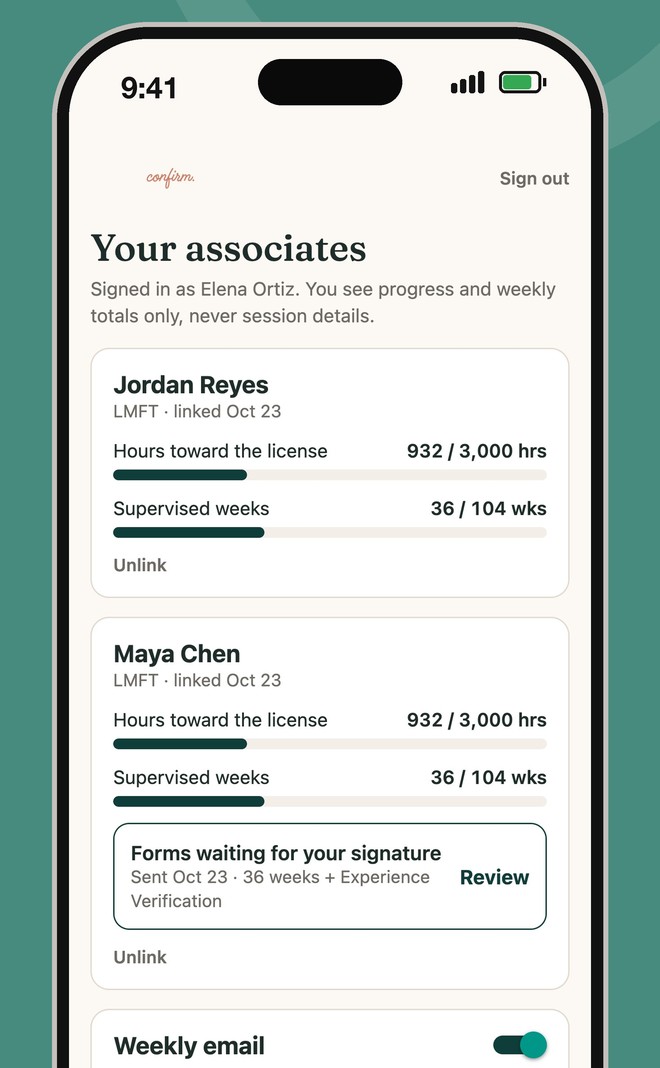
Everyone at a glance
Each associate's hours toward 3,000, supervised weeks toward 104, and forms waiting for you.
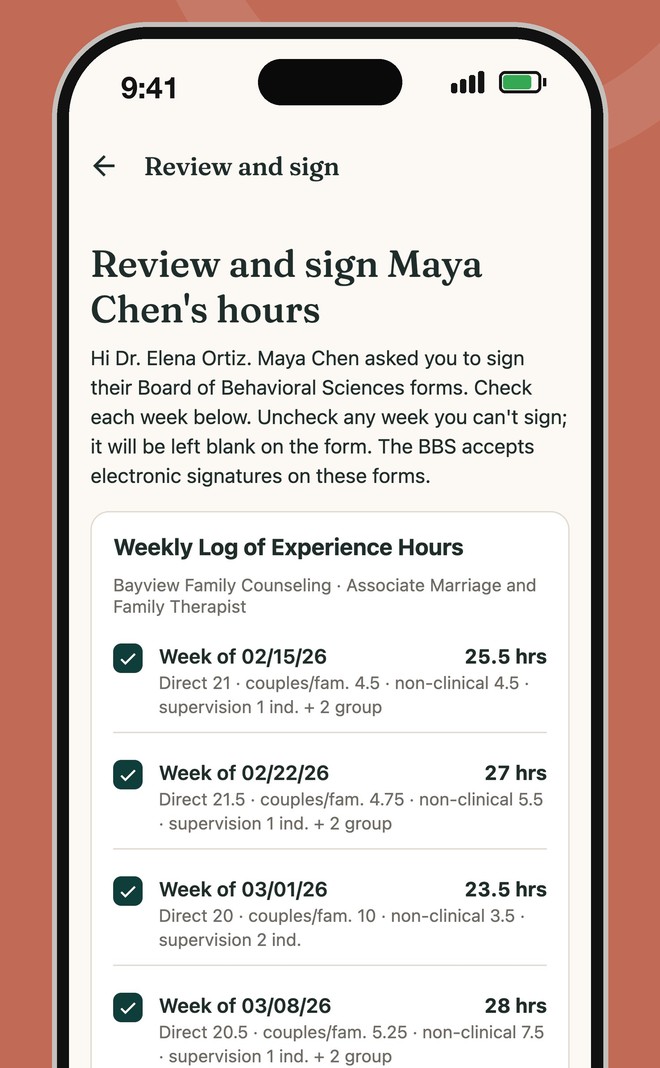
Review and sign in minutes
The Board's weekly logs and Experience Verification arrive filled in. Check each week, then sign.
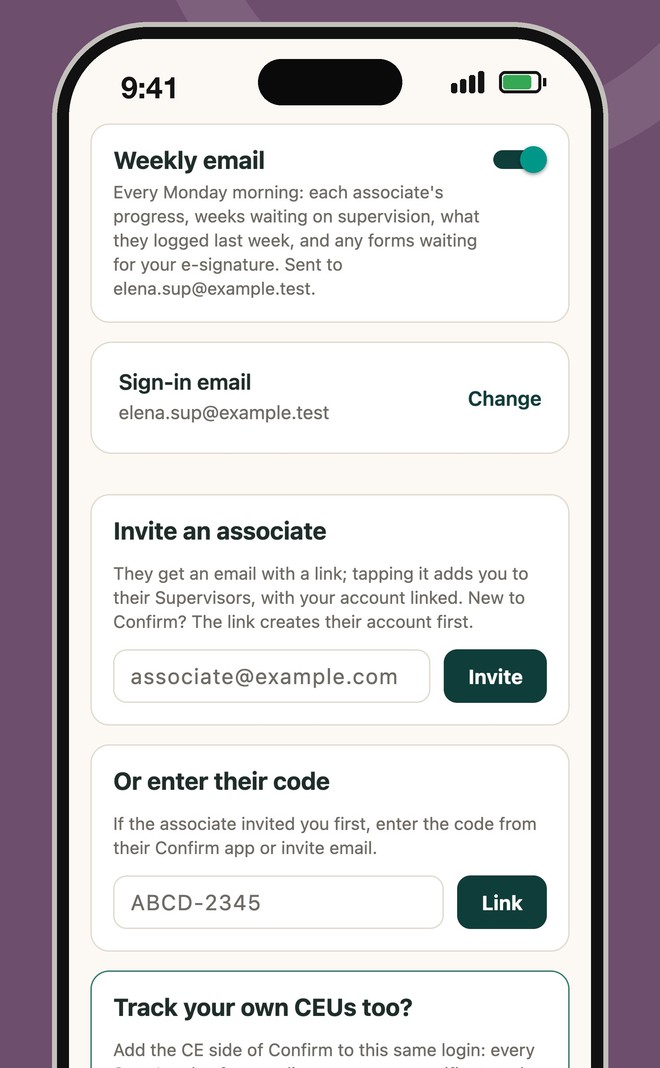
Bring your associates in
Invite them by email, or enter the code they send you. A Monday email keeps you posted.
Why supervisors use it
- No more stacks of paper to signWeekly logs and Experience Verification come straight from your associate's log, one per site. Uncheck any week you can't sign; the signed PDF goes to you both.
- Your whole caseload in one placeEvery associate you supervise, across every site, under one login.
- Problems caught earlyWeeks waiting on supervision show up now, not when your associate applies for their license.
- A Monday summaryOne email with each associate's progress, last week's hours and any forms waiting. Turn it off any time.
- Sign without an account, tooAssociates can send a private signing link to any supervisor; the account just keeps everyone together.
- Your own CE, same loginLicensed? Add the CE side to track your own renewal, for any State.
Their privacy stays theirs
- Totals onlyYou see totals and weekly counts, never session details, and Confirm has no field for a client's name, notes or diagnosis.
- Either of you can unlinkAn associate can unlink you, or you them, at any time.
Start in three steps
- Go to confirmmyhours.com, tap Start free, and choose I supervise associates.
- Invite your associates by email, or enter the code an associate sends you.
- That's it. Their progress shows up, and forms come to you when they're ready to sign.
Questions people ask
- Is Confirm really free for supervisors?Yes. Supervisor accounts are free, always.
- Do I need an account to sign?No. An associate can send you a private link to review and sign. The account adds the dashboard, in-app signing and the Monday summary.
- Can I sign the Board's forms electronically?The Board's current Experience Verification forms accept an original or electronic signature. Confirm stamps your signature into the forms and adds a signature certificate.
- What do I see about my associates?Their totals and weekly counts, and forms waiting for you. Never session details.
Confirm for other roles
Built by Steven Swink, LMFT, a California clinical supervisor. Confirm is a tracking tool, not legal or licensing advice; the Board's rules and your supervisor's signature govern. Not affiliated with the California Board of Behavioral Sciences.